Quicken: Intelligent Money
- 4.7
- Rating
- 500.00K
- Installs
- Free
- Price

 Analysis by App-foxy
I approached Quicken Simplifi as a daily money-management tool rather than a place to glance at a balance once in a while. That distinction matters. The app is built for tracking budgets and personal finances, while also bringing small-business tools into the same experience. In my use, its real value comes from turning scattered spending information into a routine: check what has happened, see what is coming, and adjust before a tight week becomes a surprise.
It is a free finance app from Quicken Inc. with optional in-app purchases ranging from $8.99 to $95.90 per item. It is rated for Everyone, and its 4.3 average from around 4.2 thousand ratings suggests that many users find the approach approachable. With over 500 thousand installs, it has also moved beyond being an obscure budgeting experiment. I would recommend it most readily to someone who wants more structure than a banking app provides but less manual work than a traditional spreadsheet.
How I built a useful everyday routine
The first mistake with any budgeting app is expecting it to improve finances without changing the checking habit. I found Quicken Simplifi more useful when I treated it as a short daily review. I would open it after ordinary spending, look at recent transactions, and compare the remaining room in my plans with the next few days ahead. That took less effort than reconstructing a month from memory.
You May Also Like

 Blood Strike: 2.5 Anniversary
Blood Strike’s Loadouts Turn Every Drop Into a Tactical Gamble
A close look at Blood Strike’s custom loadouts: how fast access to signature weapons reshapes its battle royale rhythm, rewards preparation, and narrows the gap between fights.

 Pandora - Music & Podcasts
Pandora’s Music Is Easy to Start, but Harder to Recover
Pandora’s strength is its low-effort path from a seed to a station. Its weak spot is how much confidence it asks you to place in connection, setup, and quiet recovery.

 8 Ball Pool
 Is Built on Rivalries, Rematches, and Routine
A close look at the rivalries, rematches, shared routines, and unanswered safety questions that turn a quick pool match into a persistent mobile community.

 Samsung Music
’s Quiet Strength Is Playing What You Already Own
Its reach comes less from spectacle than from dependable access to a personal library. That simplicity is both the app’s strongest retention engine and its ceiling.

 AccuWeather: Weather Radar
AccuWeather Review: A Quick, Clear Forecast for Everyday Decisions
For everyday plans, the best forecast is the one you can understand quickly. AccuWeather makes rain timing, radar, and local conditions easy to act on, with a few trade-offs.

 Hill Climb Racing
Why Hill Climb Racing Still Turns Crashes Into One More Run
A tiny car, a bumpy hill and one more upgrade: Hill Climb Racing keeps resurfacing because its simple chaos makes every near-miss feel personal.
More From Our News Desk



A realistic example is a week that includes groceries, a utility payment, and an unplanned repair. A bank balance alone can make the situation look comfortable because it shows money currently available. A budget view is more helpful because it encourages me to consider obligations that have not yet left the account. I can then reduce optional spending early instead of discovering the problem after an automatic payment has cleared.
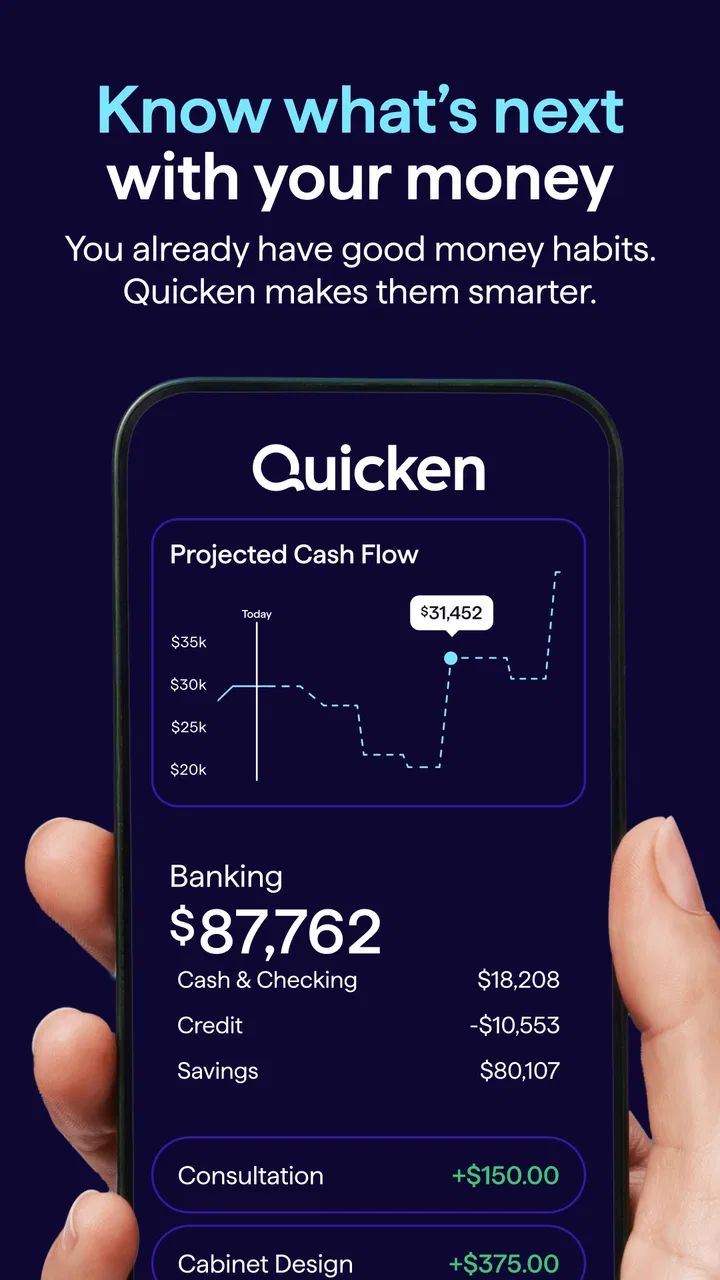
The app makes the most sense when I separate three questions: what has already happened, what I expect to happen, and what I can safely spend. Those questions sound similar, but treating them separately prevents a common budgeting error. A large current balance is not automatically permission to spend it, especially when recurring bills are close.
I also found that a short weekly review is more sustainable than trying to perfect every transaction immediately. During that review, I check whether recent purchases are assigned sensibly, whether recurring obligations still match reality, and whether the coming period looks unusually expensive. This repeatable rhythm is more important than creating a complicated plan on the first day.
Starting without turning setup into a project
New users should resist the urge to create an elaborate budget before seeing how their normal activity appears. I would begin with the accounts and spending patterns that matter most, then observe the first cycle of ordinary transactions. That gives a more honest picture than guessing categories from an idealized version of life.
Once the basics are visible, I would focus on the categories that can actually change. Rent, insurance, and other fixed commitments are useful for forecasting, but they are not where daily decisions happen. Groceries, eating out, entertainment, transport, and shopping usually deserve closer attention because small adjustments there can protect the rest of the month.
One practical habit is to review unusual purchases separately from routine ones. A single large expense can distort a category and make the rest of the month look worse than it is. Instead of reacting emotionally to the total, I ask whether the expense is a one-time event, a recurring commitment, or evidence that my plan needs updating.
This is also where the app differs from a simple notes file. A spreadsheet can be more flexible, but it asks me to maintain formulas, labels, and updates myself. Quicken Simplifi is better suited to someone who wants the application to organize the financial picture while they make the decisions. The trade-off is that users who enjoy designing their own accounting system may find a spreadsheet more satisfying.
Settings that deserve attention before daily use
The most valuable settings are the ones that make the app reflect real life rather than a generic budget template. I would check how spending is grouped, whether recurring commitments are represented correctly, and whether the planning view matches the way income arrives. A monthly plan may feel natural for one person, while another needs to think around irregular pay or uneven bills.
Small classification mistakes can have a surprisingly large effect. If a purchase is placed in the wrong spending group, the budget may suggest that one area is healthy while another is quietly drifting. I would correct repeated patterns early instead of fixing every historical detail. The goal is not a perfect archive; it is a trustworthy decision-making view.
Recurring items deserve special care. A subscription that changed amount, a bill that moved dates, or a payment that stopped can make future expectations unreliable. I would inspect these entries during a regular monthly reset. This is one of the less obvious ways to get better results: the app can only help me plan ahead if the commitments it is showing still resemble the commitments I actually have.
Users managing both household and small-business activity should be especially deliberate about separation. The small-business tools are useful because they broaden the app beyond purely personal budgeting, but mixing work purchases with household spending can make both pictures harder to read. I would keep a clear mental and practical boundary, even when the same app is used for both purposes.
That does not make the application a replacement for formal bookkeeping in every business situation. A freelancer tracking everyday cash flow may appreciate the convenience, while a business with complex tax treatment, inventory, payroll, or detailed reporting may need dedicated accounting software. The important question is whether the app’s overview is enough for the decisions being made.
Shortcuts and repeatable patterns that save effort
Experienced use is less about opening the app constantly and more about reducing repeated decisions. I would establish a fixed review point, such as after payday or before the weekend, and use the same sequence each time: recent activity, upcoming commitments, flexible categories, then the overall balance. A consistent order makes omissions less likely.
Another useful pattern is to investigate changes rather than stare at totals. If a category is higher than expected, I look for the transaction that explains the difference. If the future view suddenly feels tighter, I check whether a recurring item, unusual payment, or timing issue caused it. This turns the app from a scoreboard into a diagnostic tool.
I would also use the app before making a larger discretionary purchase, not after. The question is not simply whether the account can cover it today. I want to know whether the purchase competes with an upcoming obligation or forces me to abandon a plan later. That small pause is where budgeting becomes practical rather than decorative.
For couples or households, the strongest workflow is agreeing on a few shared rules outside the app and then using the app to check progress. No finance tool can decide whether an expense is worthwhile for two people with different priorities. It can, however, make the consequences easier to see and reduce arguments based on incomplete memory.
Irregular income requires a more cautious approach. I would avoid treating a good month as a permanent baseline. Instead, I would plan around dependable money and treat extra income as something that can strengthen a buffer or cover known future costs. This is a judgment call rather than a magic setting, and the app is most useful when the user supplies conservative assumptions.
Where the approach becomes less comfortable
Quicken Simplifi is not ideal for someone who wants every financial decision to be completely manual. The convenience of an organized overview also means accepting the app’s way of presenting information. People who prefer building custom formulas, highly specialized categories, or a detailed ledger from scratch may have more control in a spreadsheet or dedicated accounting program.
There is also a difference between tracking and changing behavior. The app can make patterns visible, but it cannot stop impulse purchases or negotiate a lower bill. If someone only opens it after overspending, the information may arrive too late to help. Its strongest results depend on a small amount of regular attention.
The free entry point is attractive, but users should pay attention to the purchase model before committing to a long-term workflow. Optional in-app purchases range from $8.99 to $95.90 per item, so the practical question is not only whether the app can be installed without payment, but whether the features a particular user expects fit their budget. I would decide that after testing the basic routine rather than assuming every useful capability is included at no cost.
Another limitation is conceptual: a broad personal-finance view can become overwhelming if every account and activity is added without a purpose. More information is not always better. I would include what supports decisions and avoid turning the dashboard into a catalogue of financial noise. A smaller, accurate picture is more useful than a huge, neglected one.
Privacy and trust also deserve a personal decision. Anyone using a finance app should read its current permissions and policies and decide whether connecting financial information is acceptable to them. If that relationship feels uncomfortable, a local spreadsheet or manual envelope method may be a better fit, even if it requires more work.
Who should use it, and who should choose something else?
I see this app as a strong match for people who want a clear view of spending without maintaining a complex workbook. It is particularly suitable for a first serious budgeting system, for households trying to coordinate everyday expenses, and for small-business users who mainly need a practical overview alongside personal finances.
It is less suitable for users who need formal accounting records, advanced business controls, or complete customization of every calculation. Someone already comfortable with a carefully maintained spreadsheet may not gain enough convenience to justify changing systems. Likewise, a person who only wants to check a bank balance may find the planning features unnecessary.
Compared with a bank’s built-in tools, Quicken Simplifi offers a more deliberate budgeting perspective rather than limiting the experience to one institution’s account view. Compared with a spreadsheet, it reduces manual organization but gives me less freedom to invent a completely personal structure. Compared with dedicated accounting software, it feels more appropriate for everyday financial decisions than for complex business administration.
That middle position is its main strength. It is neither a bare transaction viewer nor a full professional accounting suite. Users should choose it for that balance, not because they expect it to solve every financial problem in one place.
My verdict after settling into the workflow
Quicken Simplifi works best when I use it as a calm checkpoint rather than a source of guilt. The app helps connect current spending with upcoming responsibilities, and that makes ordinary decisions more informed. I especially like the idea of checking before a purchase, reviewing recurring commitments on a schedule, and correcting only the patterns that affect future choices.
Its limitations are real: customization may not satisfy spreadsheet enthusiasts, business needs can outgrow its overview, and optional purchases require a careful look before making the app central to a routine. Those are not reasons to dismiss it; they are boundaries that make the recommendation more precise.
For a free finance app from Quicken Inc. aimed at Everyone, it offers a sensible entry into structured budgeting and personal-finance tracking, with small-business tools available for users who need a broader view. It was released on October 1, 2019, and its continued presence, along with an average rating of 4.3 from around 4.2 thousand ratings, gives it a credible starting point for curious users.
My bottom line is simple: I would recommend it to a friend who wants to replace vague money awareness with a repeatable weekly habit. Start small, check the settings that affect future planning, keep personal and business activity understandable, and test whether the routine genuinely changes decisions. If you want that practical middle ground, Quicken Simplifi is worth trying; if you need a fully customizable ledger or formal accounting system, another tool will likely serve you better.
FAQs for Quicken: Intelligent Money
01What is Quicken Simplifi and how does it work?
Quicken Simplifi is a budgeting app designed to help users manage their finances by tracking spending, setting savings goals, and providing insights into financial habits. It connects securely to your bank accounts to automatically update transactions, categorize expenses, and display a clear picture of your financial health. The app is available on both Android and iOS, offering a user-friendly interface to streamline budgeting.
02Can Quicken Simplifi connect to multiple bank accounts?
Yes, Quicken Simplifi can connect to multiple bank accounts, including checking, savings, and credit card accounts. This feature allows users to have a comprehensive view of their finances in one place. By securely linking your accounts, the app automatically updates your transactions and helps you manage your budget effectively across all financial institutions.
03Is Quicken Simplifi secure to use with my financial information?
Quicken Simplifi prioritizes security by using bank-level encryption and secure connections to protect your financial data. The app does not store your login credentials, ensuring that your information remains confidential. Additionally, it offers multi-factor authentication for an extra layer of security, giving you peace of mind while managing your finances.
04Does Quicken Simplifi offer features for budgeting and saving?
Yes, Quicken Simplifi offers robust budgeting and saving features. Users can set up personalized budgets, track spending in various categories, and receive alerts when they are nearing their limits. The app also allows you to set savings goals and track your progress, making it easier to achieve financial objectives while maintaining a balanced budget.
05Is there a cost associated with using Quicken Simplifi?
Quicken Simplifi offers a subscription-based model, providing a free trial for new users to explore the app's features. After the trial, users can choose from monthly or annual subscription plans. The cost aims to provide value through comprehensive financial tools, continuous updates, and dedicated support, helping users manage their finances effectively.
Pros
- User-friendly interface for easy navigation.
- Syncs with multiple bank accounts securely.
- Real-time expense tracking and alerts.
- Customizable savings goals and budgets.
- Detailed financial reports and insights.
Cons
- Subscription fee required for full features.
- Limited offline functionality.
- No cryptocurrency tracking option.
- Occasional syncing issues with banks.
- Learning curve for non-tech-savvy users.

Quicken: Intelligent Money
Gallery